Never Forget an Ingredient Again: Eggcellent's Smart Grocery List Feature
 By Eggcelllent
Have you ever arrived at the grocery store only to realize you forgot your shopping list at home? Or worse—you bought everything
except that one crucial ingredient for tonight's dinner?
We've all been there. That's why we built Eggcellent's Smart Grocery List feature—your personal shopping companion that ensures you
never miss an ingredient again.
What Makes Eggcellent's Grocery List Special?
Unlike traditional shopping list apps, Eggcellent's grocery list is designed specifically for home cooks and recipe enthusiasts.
Here's what makes it stand out:
1. Multiple Lists for Every Occasion
Create unlimited grocery lists for different shopping trips, meal plans, or occasions:
Weekly Groceries - Your regular supermarket run
Weekend Brunch - Special ingredients for that Sunday feast
Dinner Party - Everything you need to impress your guests
Pantry Restock - Keep track of staples that are running low
Each list lives in your account and syncs across all your devices, so you can add items from your laptop while cooking and check
them off from your phone at the store.
2. One-Tap Ingredient Addition
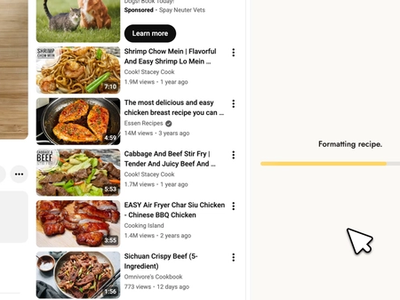
When you extract a recipe from a YouTube video (Eggcellent's core feature), you can instantly add all ingredients to your grocery
list with a single tap. No more manual typing or copying ingredient lists!
The smart system automatically formats quantities and measurements, so "2 cups of flour" appears exactly as you need it at the
store.
3. Smart Check-Off System
As you shop, simply tap each item to check it off. The interface shows:
Completed items (with strikethrough styling for easy visual confirmation)
Pending items (clearly visible so you don't miss anything)
Progress tracker showing "5 of 12 items" with a visual progress bar
This real-time tracking helps you see at a glance how much shopping you have left.
4. Easy List Management
Keep your lists organized with these powerful features:
Rename lists - Click the title to edit it (e.g., "My Grocery List" → "Whole Foods Trip")
Copy lists - Share your shopping list via text, email, or any messaging app
Clear completed items - Remove checked items with one tap to keep lists clean
Delete lists - Remove old lists you no longer need
5. Card View & Detail View
Card View gives you a bird's-eye view of all your lists:
See list names, creation dates, and item previews
View progress at a glance with visual indicators
Quickly jump into any list with a single tap
Detail View shows your full shopping list:
- Add new items on the fly
- Check off items as you shop
- See completion status in real-time
- Edit or delete individual items
Real-World Use Cases
For Meal Planners
Planning your weekly meals? Create a "Week of Jan 29" list and add ingredients from all the recipes you plan to cook. Eggcellent
automatically organizes everything in one place, so you only make one shopping trip instead of three.
For Cooking Enthusiasts
Found an amazing YouTube recipe you want to try this weekend? Extract it with Eggcellent, add the ingredients to your "Weekend
Cooking" list, and you're ready to shop.
For Busy Families
Running low on essentials? Create a "Pantry Staples" list and keep it updated throughout the week. When Saturday rolls around,
you'll know exactly what you need.
For Special Events
Hosting a dinner party? Create a dedicated list for the occasion, add ingredients from multiple recipes, and shop with confidence
knowing you won't forget anything.
Tips for Getting the Most Out of Grocery Lists
1. Create Lists by Store
If you shop at multiple stores (e.g., Whole Foods for produce, Costco for bulk items), create separate lists for each store. This
makes shopping trips more efficient.
2. Add Items Immediately
Don't wait to add items to your list. As soon as you think of something you need, add it to your grocery list. Your future self
will thank you!
3. Use the Copy Feature for Sharing
Shopping with a partner? Copy your list and share it via text. They'll get a beautifully formatted list with checkmark and circle
indicators showing what's been purchased.
4. Keep a Master Pantry List
Create a "Pantry Essentials" list with items you always need (flour, sugar, olive oil, etc.). When you extract new recipes, check
if any pantry items overlap so you don't overbuy.
5. Review Before You Shop
Before heading to the store, open your list and make sure you haven't already bought something. You can quickly remove items you no
longer need.
Mobile-Optimized for On-the-Go Shopping
Eggcellent's grocery list is fully optimized for mobile devices:
Large tap targets - Easy to check off items even with one hand full of groceries
Floating action button - Quickly add new items without scrolling
Touch-friendly menus - Long-press or tap the three-dot menu for quick actions
Responsive design - Works perfectly on any phone or tablet
Data Security & Privacy
Your grocery lists are stored securely in your Eggcellent account:
Cloud sync - Access from any device, anywhere
Private by default - Only you can see your lists
Real-time updates - Changes sync instantly across devices
No data sharing - We never sell or share your shopping data
Getting Started with Grocery Lists
Ready to simplify your shopping experience? Here's how to get started:
1. Sign up for Eggcellent (free account includes full grocery list access)
2. Extract your first recipe from a YouTube cooking video
3. Add ingredients to your grocery list with one tap
4. Open your grocery list and start organizing
5. Shop with confidence knowing you won't forget anything
The Future of Grocery Lists
We're constantly improving the grocery list feature based on user feedback. Coming soon:
- Smart ingredient grouping (produce, dairy, pantry, etc.)
- Store aisle suggestions (based on common supermarket layouts)
- Price tracking (track estimated costs as you add items)
- Recipe source tracking (see which recipe each ingredient came from)
Try It Today
Ready to organize your shopping? Sign up for Eggcellent today and experience grocery shopping without the stress.
Ready to extract your first recipe?
Try Eggcellent today and turn YouTube cooking videos into formatted recipes in seconds.
Get Started FreeRelated Articles
Smart Grocery List: How Aisle Mode Auto-Merges Your Ingredients
Recipe Converter: How to Scale Any Recipe Up or Down
Best Video-to-Recipe Tools in 2026 (Turn Cooking Videos into Recipes)